Portal Enhancements
At American Fidelity, we constantly strive to improve your experience. Thanks to feedback from valued partners like you, we identified various areas to enhance your online account experience. Here, you can view details about your ongoing enhancements.
January 2025 Enhancements
New Dynamic Buttons
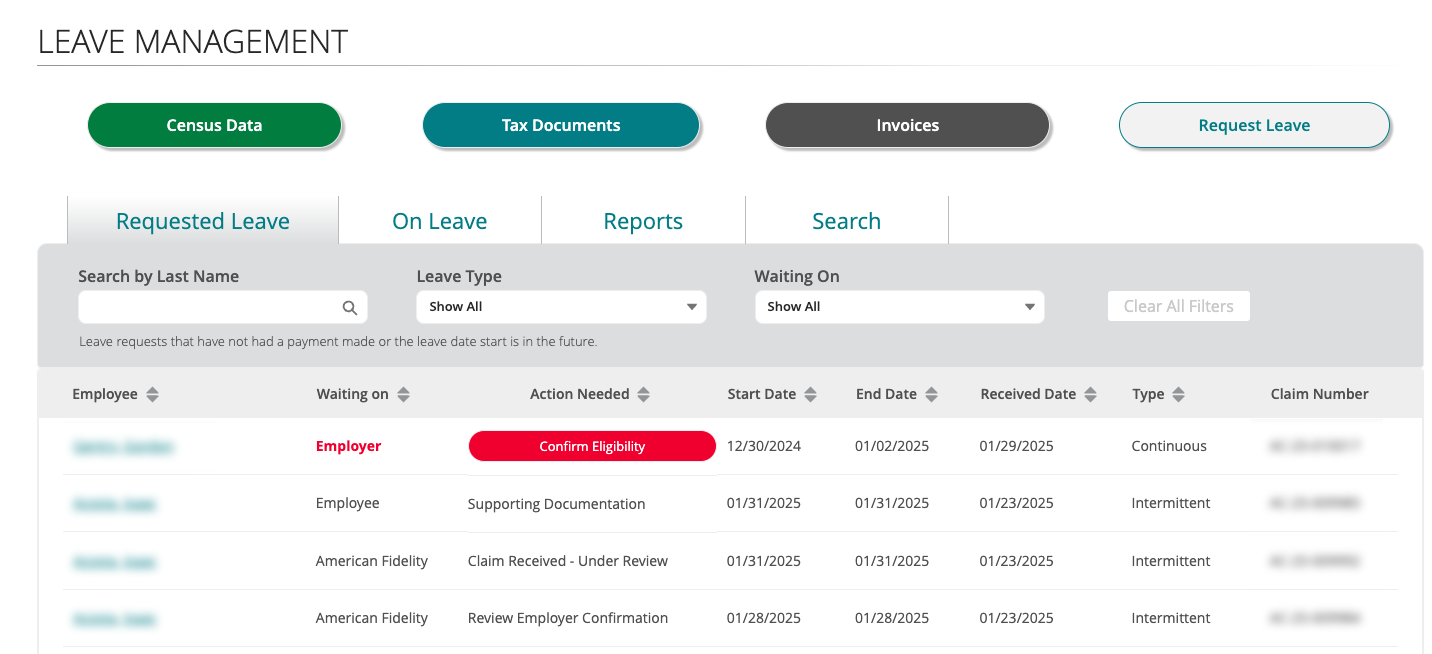
The Census Data, Tax Documents, Invoices, and Request Leave buttons are now located at the top of the Leave Management screen. These buttons will appear based on the services you have.
Census Data: View upload details and history, check for errors and warnings, and verify if earnings were reported on the census or at the time of claim.
Tax Documents: Your third-party sick pay report or other tax-related documents can be found here.
Note: This button will only appear for employers with PFMLI, including those with PFMLI Tax Assist.
Invoices: For employers with AFleave™, your quarterly invoices are located here.
Note: This button will only appear for employers who have AFleave. PFMLI bills will still be located under the Billing tab.
Request Leave: Here, employers can request leave on behalf of an employee.

Enhanced Tabs and New Search Function
The Requested Leave, On Leave, and Reports tabs have been enhanced to be more informative. We've also added a new Search function to help you stay informed on employees' claim processing and leave statuses.
Requested Leave Tab
To help you identify where a claim is during processing, we added two new statuses to the Requested Leave section:
1. Waiting On Status: Shows if a claim is under review or if additional information is required from you or the employee.
- American Fidelity: We're reviewing the employee's claim or confirming eligibility.
- Employer: We're waiting for you to provide missing eligibility items for claim processing or review unpaid leave recommendation.
- Employee: We're pending claim information from the employee.
- Leave Start Date: We're waiting to confirm your employee’s leave start date.
2. Action Needed Status: Provides claim processing information and what is needed to proceed.
- Claim Received - Under Review: We're reviewing the employee's claim or confirming eligibility. The Waiting On status will show "American Fidelity."
- Confirm Eligibility: We're waiting for you to provide missing eligibility items. The Waiting On status will show "Employer" until you submit the requested eligibility information. Pending eligibility items will be shown and may include the following:
- Work Schedule
- Hours Worked
- Job Title
- Quarterly Earnings
- Review Eligibility: We have received the requested eligibility items from you and are reviewing the information. The Waiting On status will show "American Fidelity."
- Supporting Documentation: We're waiting to confirm your employee’s leave start date. If necessary, you can provide supporting documentation to the employee's claim by going to the Claim Details page.
- Review Recommendation: If a claim is for an unpaid leave only, we will provide a recommendation for you to agree or disagree with within 24 hours. The Waiting On status will show "Employer." If you don't respond after 24 hours, we will process the unpaid leave claim according to our recommendation.
- Review Employer Recommendation: If you submit your response within 24 hours, the Waiting On status will show "American Fidelity" and we will begin finalizing the claim.
- No Action Needed: We have received all the required documentation needed to process the claim and the employee's start date is in the future. The Waiting On status will say "Leave Start Date" and no action is needed.
On Leave Tab
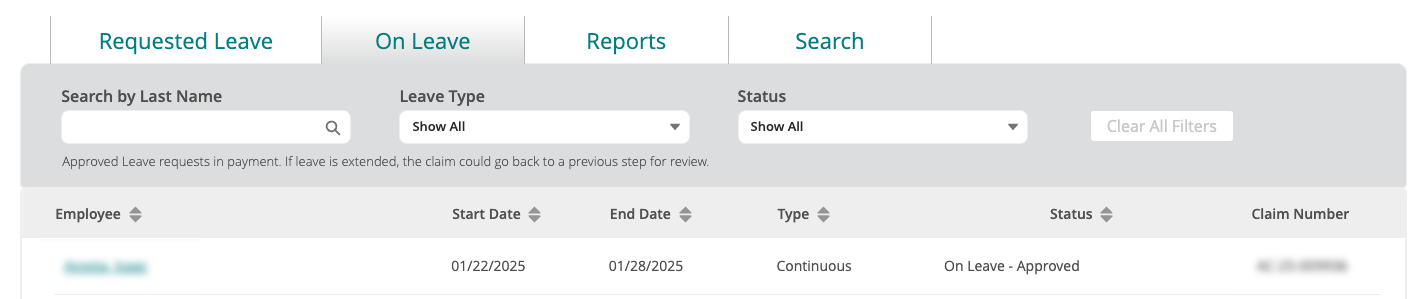
The On Leave tab provides an overview of employees who are currently on leave. Additionally, we've enhanced the system to efficiently manage and close out any required steps during an employee's leave period.
1. On Leave - Approved Status:
The employee is currently on leave and their claim has been approved.
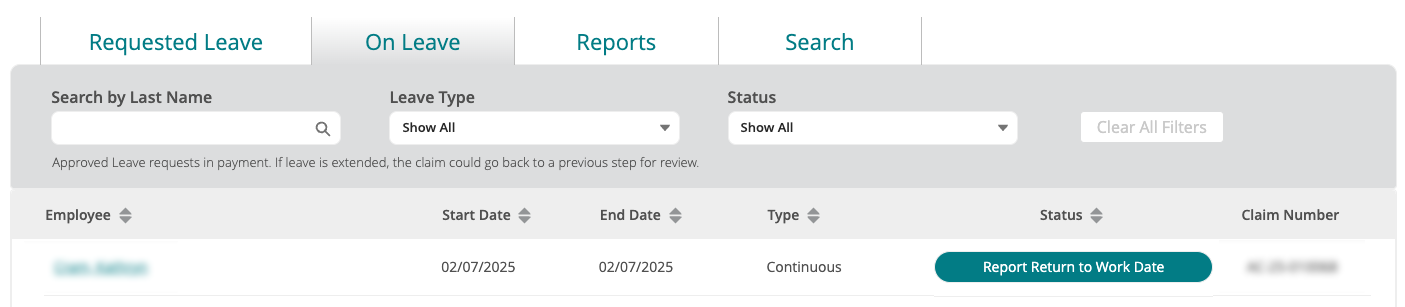
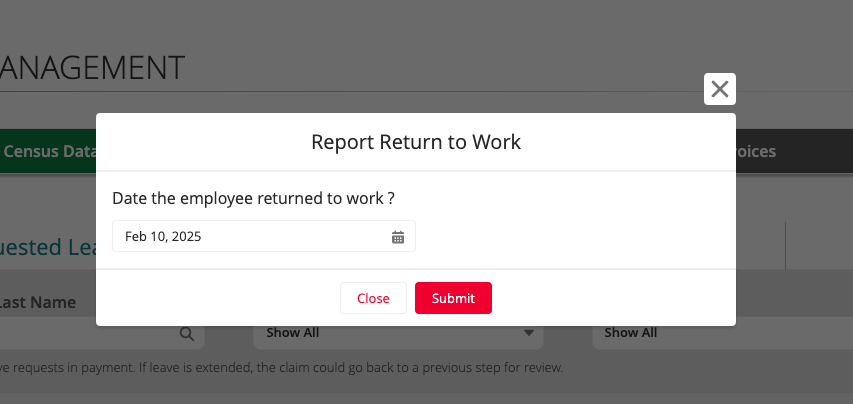
2. Report Return to Work Status:
If the employee hasn't reported their return-to-work date, you can report it on their behalf seven days prior to their leave end date.
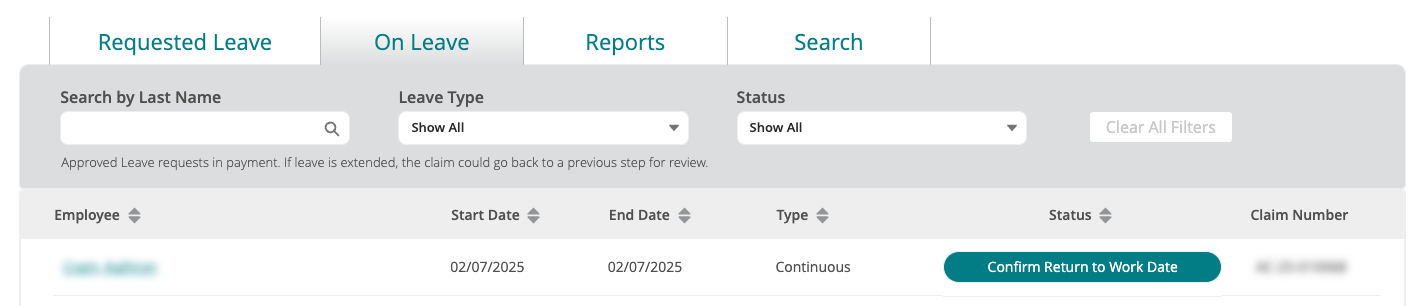
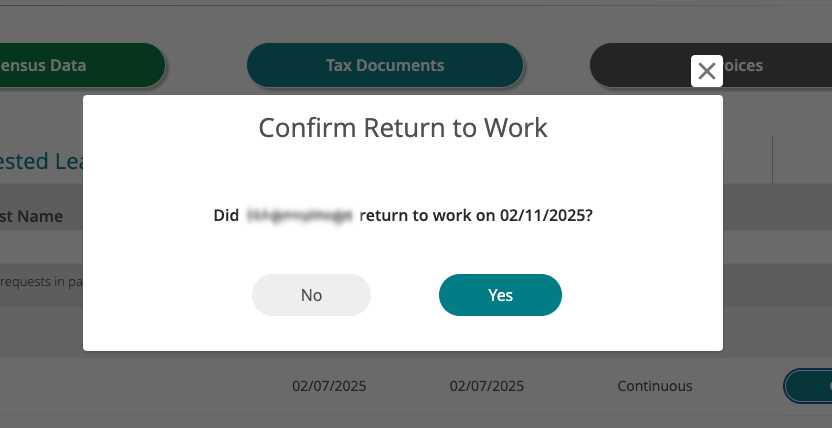
3. Confirm Return to Work Status:
If the employee reported their estimated return-to-work date, you can view, confirm, or modify their date.
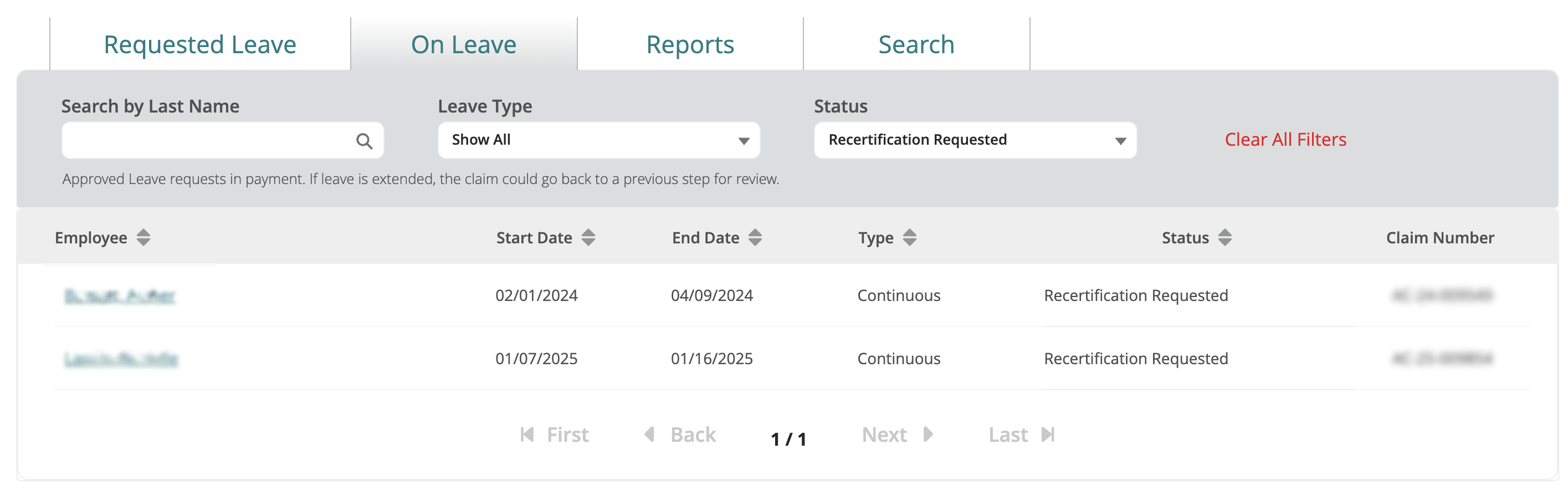
4. Recertification Requested Status:
If the employee requests recertification to extend their leave date, their claim will be under the On Leave tab and their status will be updated. We will work directly with the employee to gather additional information.
Reports Tab
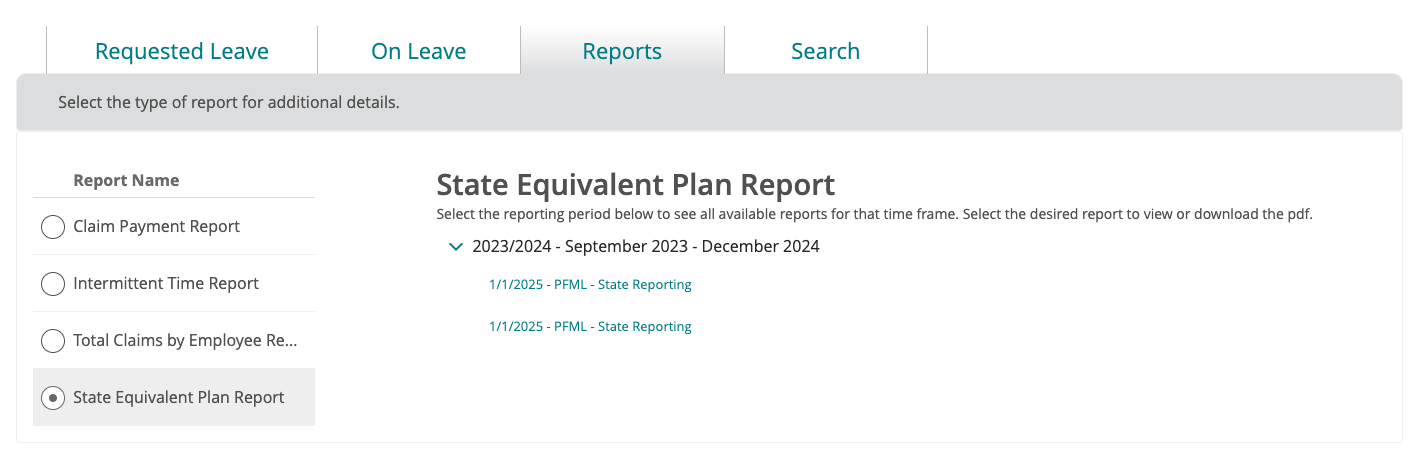
The updated Reports tab includes the report for employers who need to report their PFMLI plan and/or employees' claim information back to the state.
Search Tab
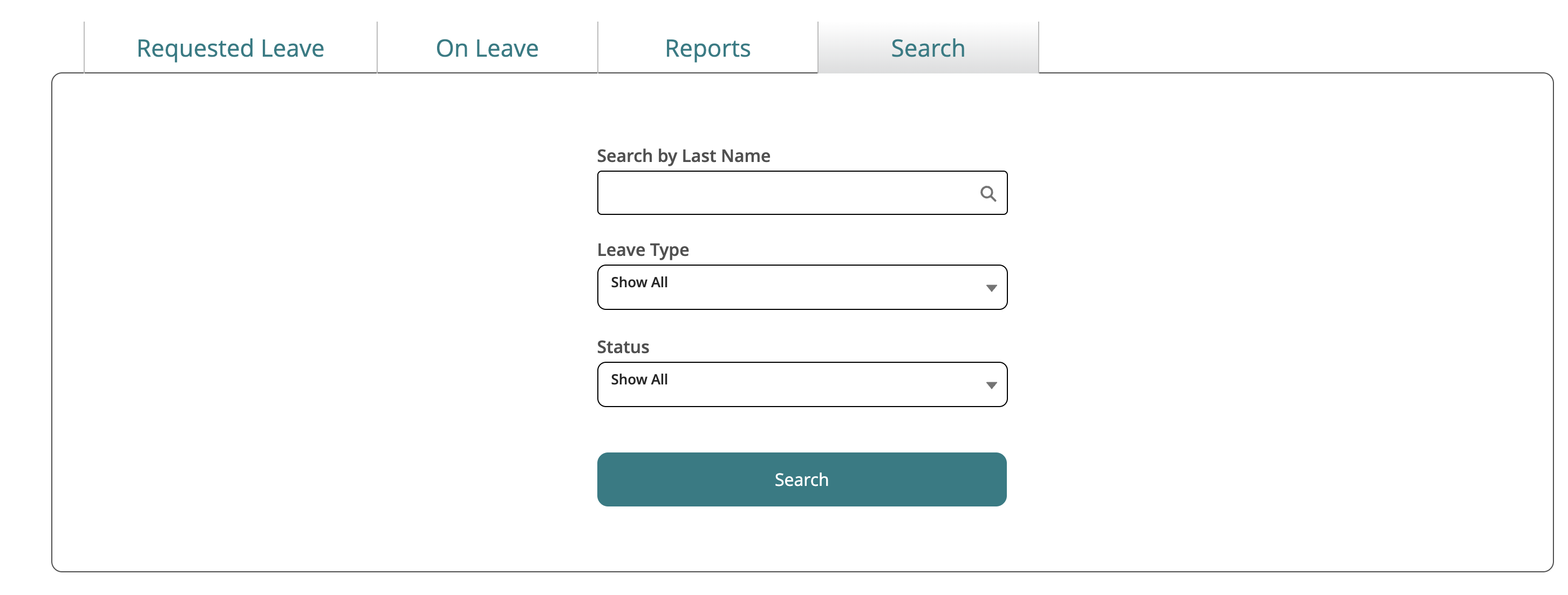
The Search tab now enables employers to search leave claims by Last Name, Leave Type, and Status.
Leave Claim Details Screen
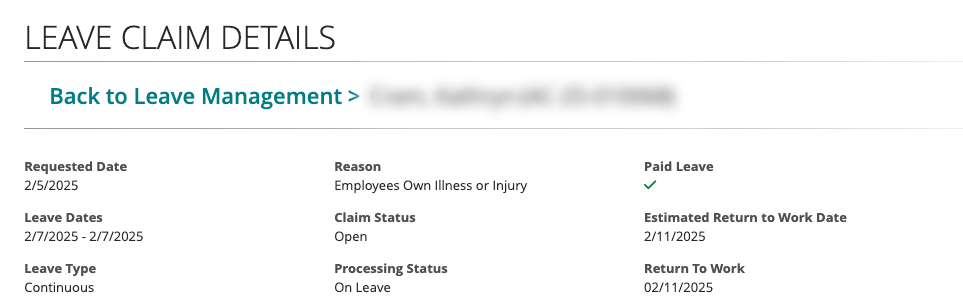
Two new fields have been added to the Leave Claim Details page, allowing you to view the claim details all in one spot.
1. Requested Date
2. Processing Status
Note: If an employee's claim has an action button shown on the Requested Leave tab, it will now also appear on their Leave Claim Details.
Summer Release (June 2024)
Census File Warnings and Errors Screen
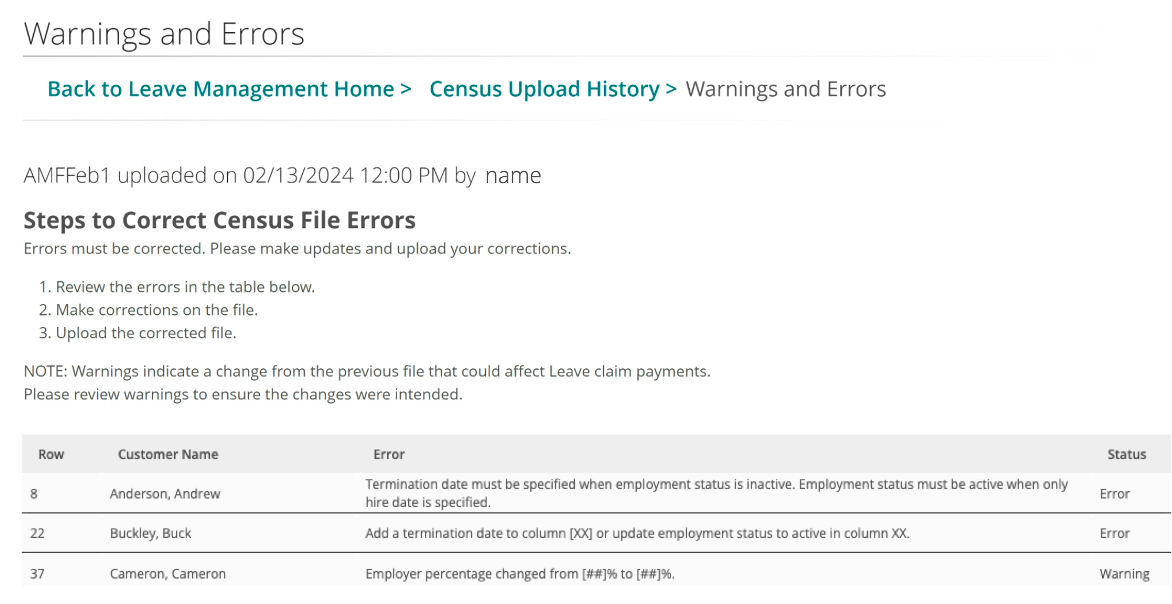
If your census file fails to upload due to incorrect information, we will display your warnings and errors on the screen for you to review. Once errors are corrected, you must reupload and submit your census file.
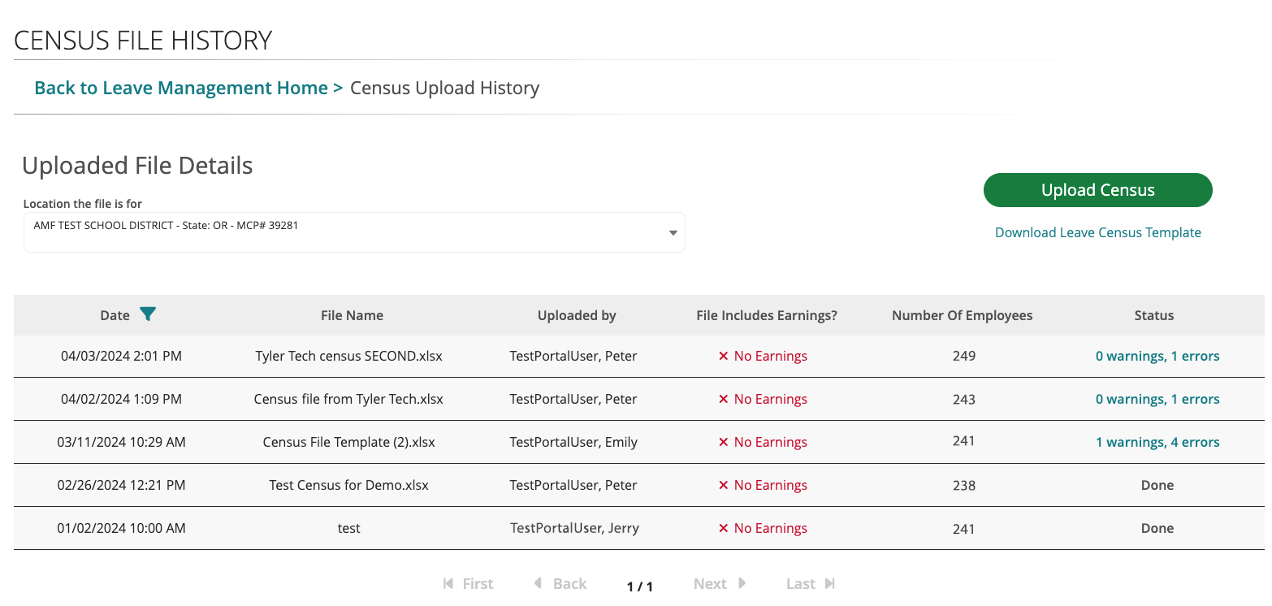
Census File History Screen
Select Census Upload History on the Leave Management home dashboard to view your census upload history.
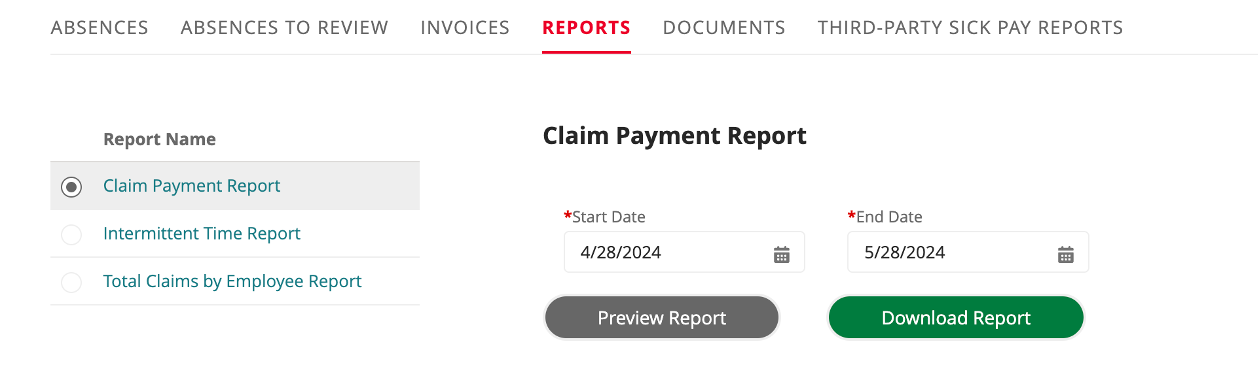
Claim Payment Report Screen
The claim payment report screen shows what payments have gone out to employees. You can search by the employee's name and view the gross amount, net amount, paid amount, and the date payments started. To view this screen, go to Reports, then select Claim Payment Report.
Watch this presentation for additional features and information:
Spring Release (April 2024)
Claim View Enhancements
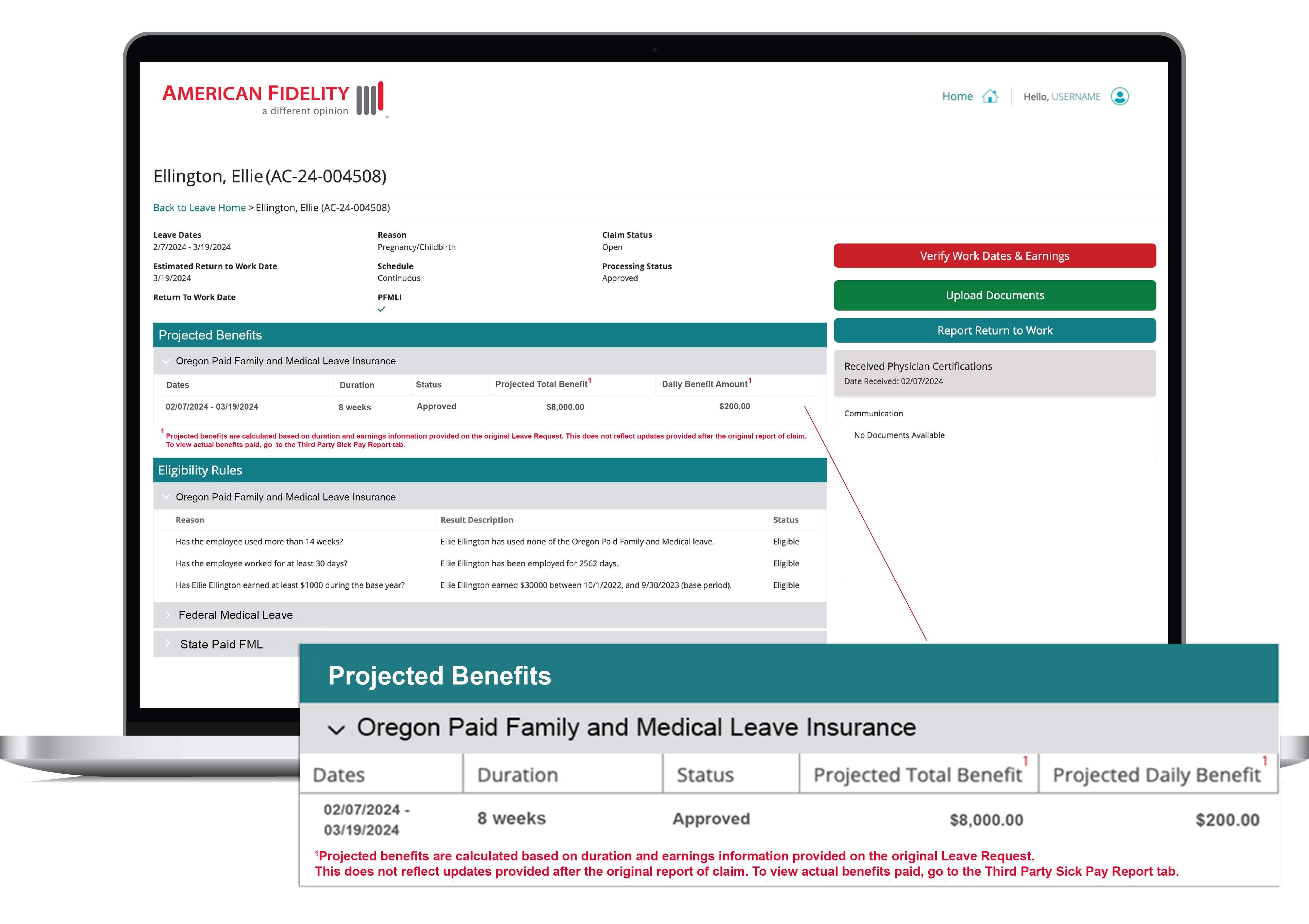
We have updated the claims record page to provide more detailed information about PFMLI claims. The new design of the claim page now includes a Projected Benefits table with approved dates and projected total and daily benefit amounts.
Census File History Improvements
We’ve added the ability to view the most recent census upload date and who uploaded the file last. Stay tuned for more enhancements coming to the census file process.
Tab and Filter Updates
The new, reorganized tabs show the most relevant information first. We've put the "Absences" tab first, and it now includes an "Open/Closed" filter defaulted to "Open" to improve your visibility into open claims.
Enhanced Reporting
We've built a new report to help you meet the Oregon Public Employees Retirement System reporting requirements. This Intermittent Time Report includes the claimant's name, claim number, reason for the claim, date information, status, and duration.